Less scrolling.
More living.
MonkSocial helps you use social media on purpose. It watches first, steps in with a pause when you've had enough, and makes you earn your way back.
Coming soon to the App Store and Google Play. First month free.
How it works
No cold-turkey lockdown on day one. MonkSocial learns how you really use your apps, then helps you change it at your own pace.
Pick your apps
Choose the apps that take more of your day than you'd like: Instagram, TikTok, YouTube, X and more.
It watches first
Nothing is locked. After a few minutes on an app, a calm check-in asks if you're done.
You decide
Set a daily limit, block certain hours, or block an app all day. App by app.
Earn your way back
Need more time? Win a short rope game for 15 more minutes. The pause is the point.
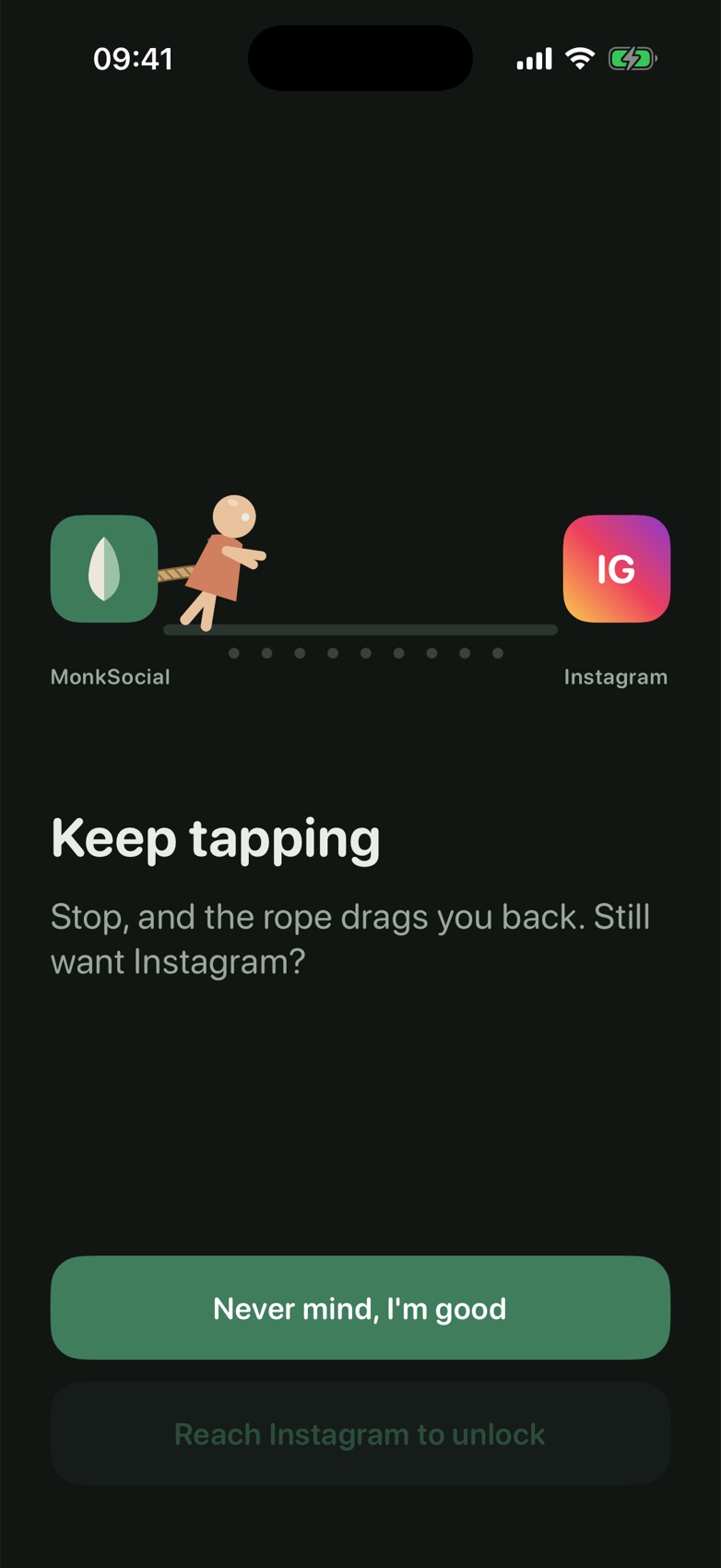
15 minutes you have to earn
When a limit is up, getting back in takes effort. Tap to reach the app while MonkSocial's rope pulls you back. Sometimes that moment is all it takes to change your mind.
- Gentle: one tap for 15 more minutes
- Mindful: the rope game first
- Monk: no way around it
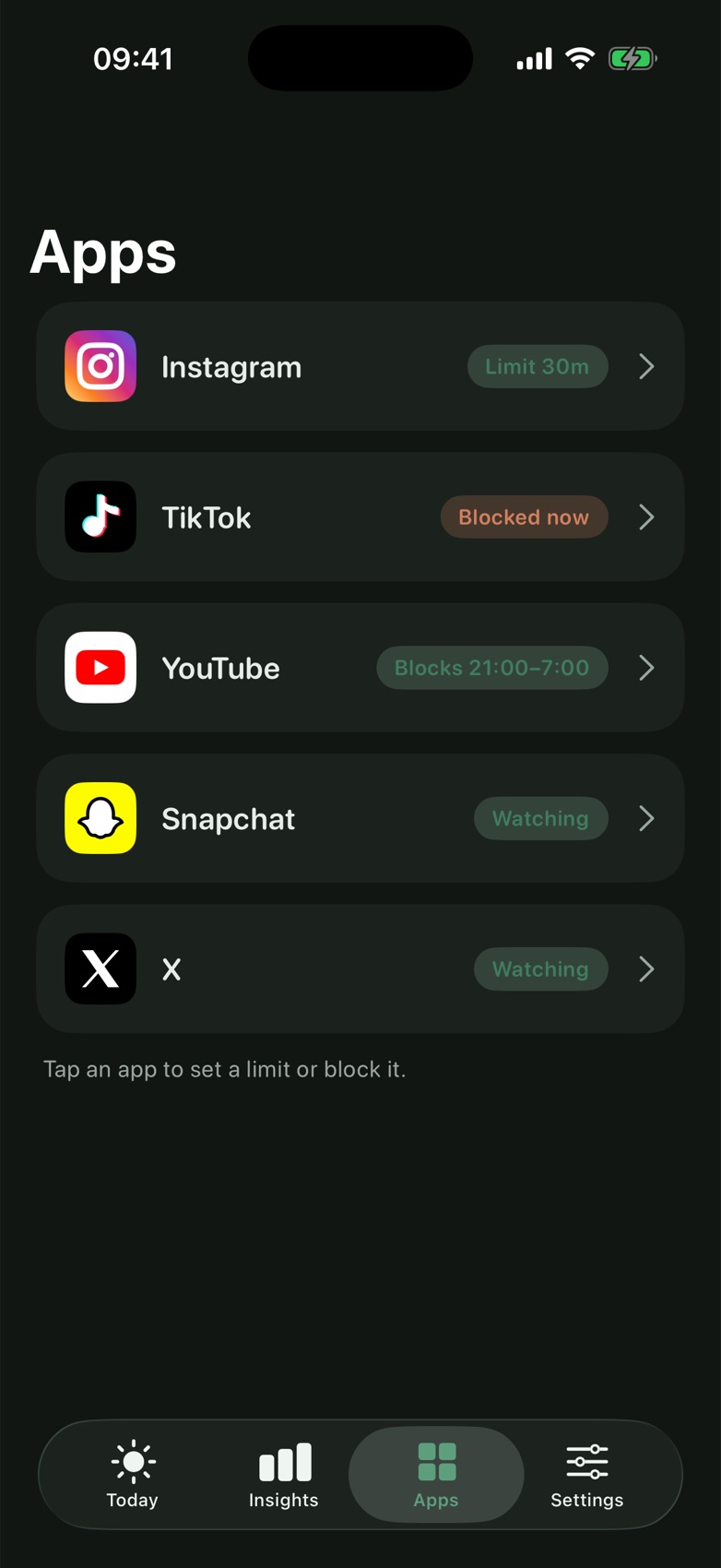
Limits that fit your day
Every app gets its own rule, so you can keep what helps and cut what doesn't.
- Daily limits from 5 minutes to 4 hours
- Block hours, like 9 to 6 or overnight
- Block all day when you mean it
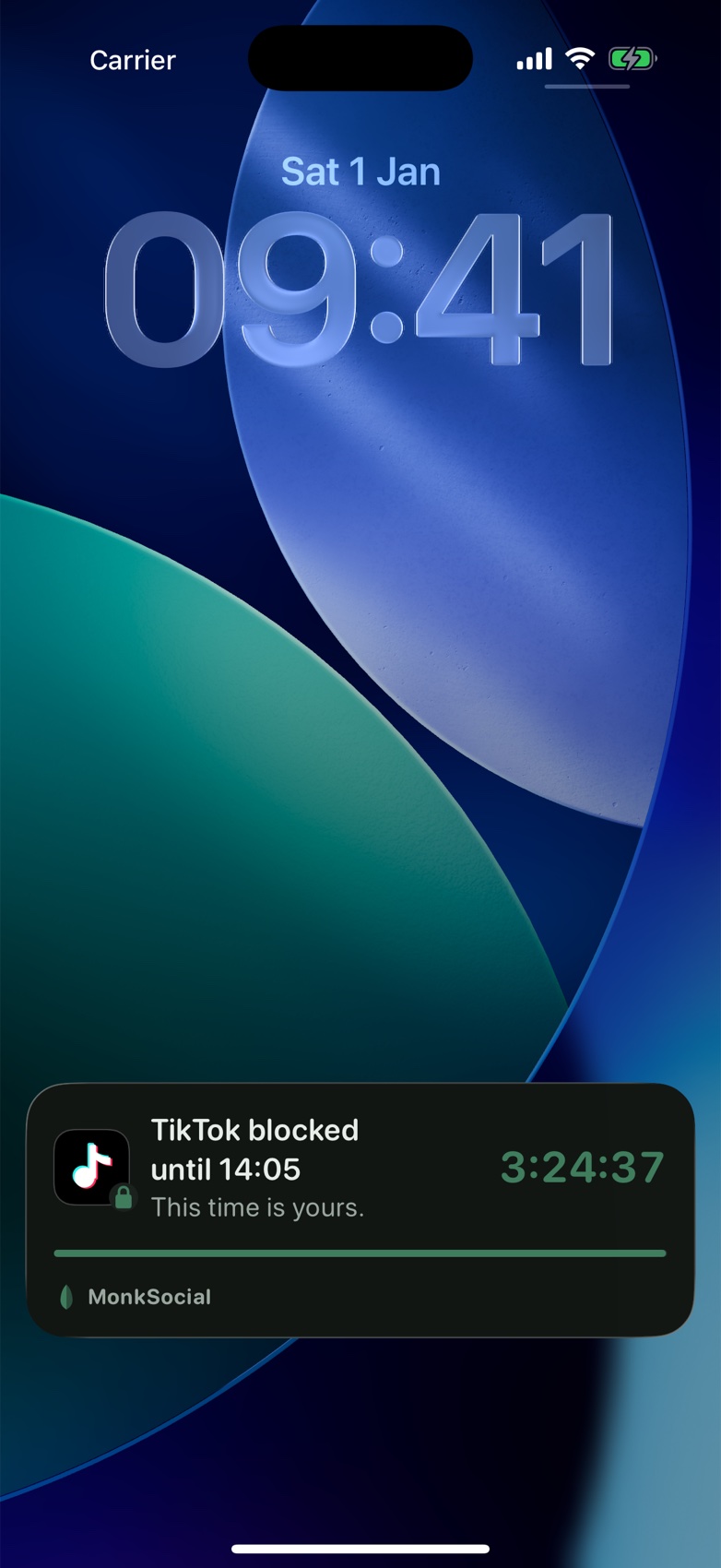
Always in view
On iPhone, a live countdown on your Lock Screen and in the Dynamic Island shows how long an unlock or a block has left.
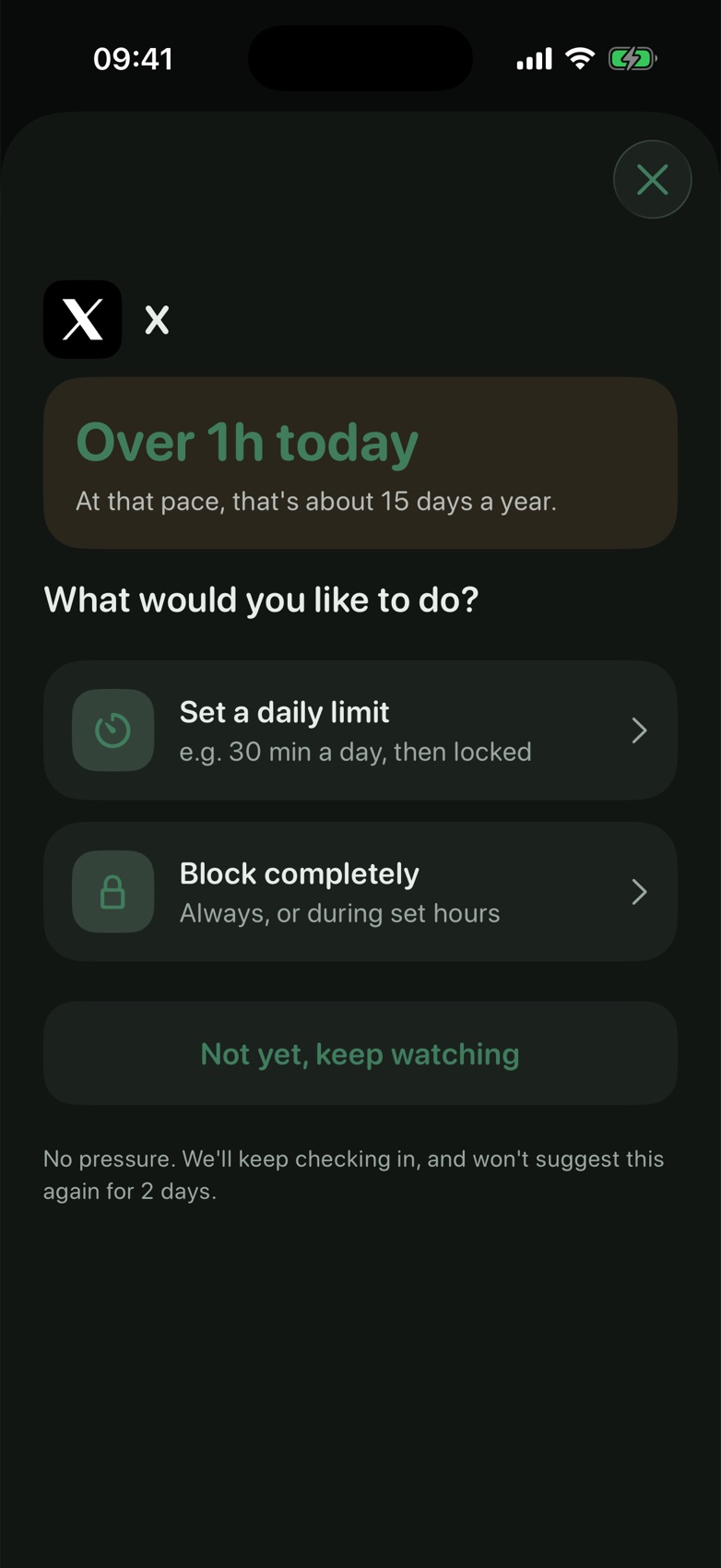
See what it really costs
An hour a day adds up to about 15 days a year. MonkSocial shows you the real number, then lets you decide what to do about it.
Built to help you stop
Not to shame you, and not to lock you out the moment you open an app.
Check-in pauses
A gentle pause after a few minutes on a watched app. Close it or keep going: your call.
Insights
Your last four weeks of social media time, and how much your rules are helping.
Daily summary
One short note each evening at a time you pick, instead of a stream of nags.
Widgets
See what's blocked from your Home Screen, and unblock for 15 minutes in one tap.
Private by design
Your app usage is counted on your phone and never sent to us.
iPhone and Android
The same calm approach on both, built natively for each.
Questions
How much does it cost?
Your first month is free. After that, MonkSocial needs a subscription, billed through the App Store or Google Play. You can cancel any time in your store account settings.
Can MonkSocial see what I do inside my apps?
No. On iPhone it uses Apple's Screen Time framework, which keeps usage on your device. On Android it only notices which app is open so it can count time. It never reads what's on your screen.
Which apps does it work with?
Instagram, TikTok, YouTube, Snapchat, Facebook, X, Reddit, LinkedIn, Threads, Messenger, Gmail and Yahoo Mail.
What if I really need an app that's blocked?
With Gentle or Mindful unlocks you can always get 15 more minutes. Only Monk mode has no unlocks, and you can remove a rule in MonkSocial whenever you choose.
How do I delete my account?
In the app, go to Settings, then Account, then Delete account. It removes your account and everything linked to it. See deleting your account for details.
Take your time back
MonkSocial is coming soon to iPhone and Android. Questions in the meantime? We'd love to hear from you.